If you publish fast, you don’t need more SEO theory, you need a quality gate. This Wix Editor checklist is the practical “stoplight” we use to prevent indexing and snippet issues before you hit Publish. While the wix vs wordpress debate matters for long-term flexibility, most ranking losses I see come from avoidable basics: titles, canonicals, noindex, images, and crawl validation.
Which Wix Editor fields control titles and snippets? (wix vs wordpress)
The fields that shape your Google snippet are not spread evenly across Wix. They live in a few places, and mixing them up is how you end up with truncated titles, duplicated snippets, or pages that rank with the wrong headline.
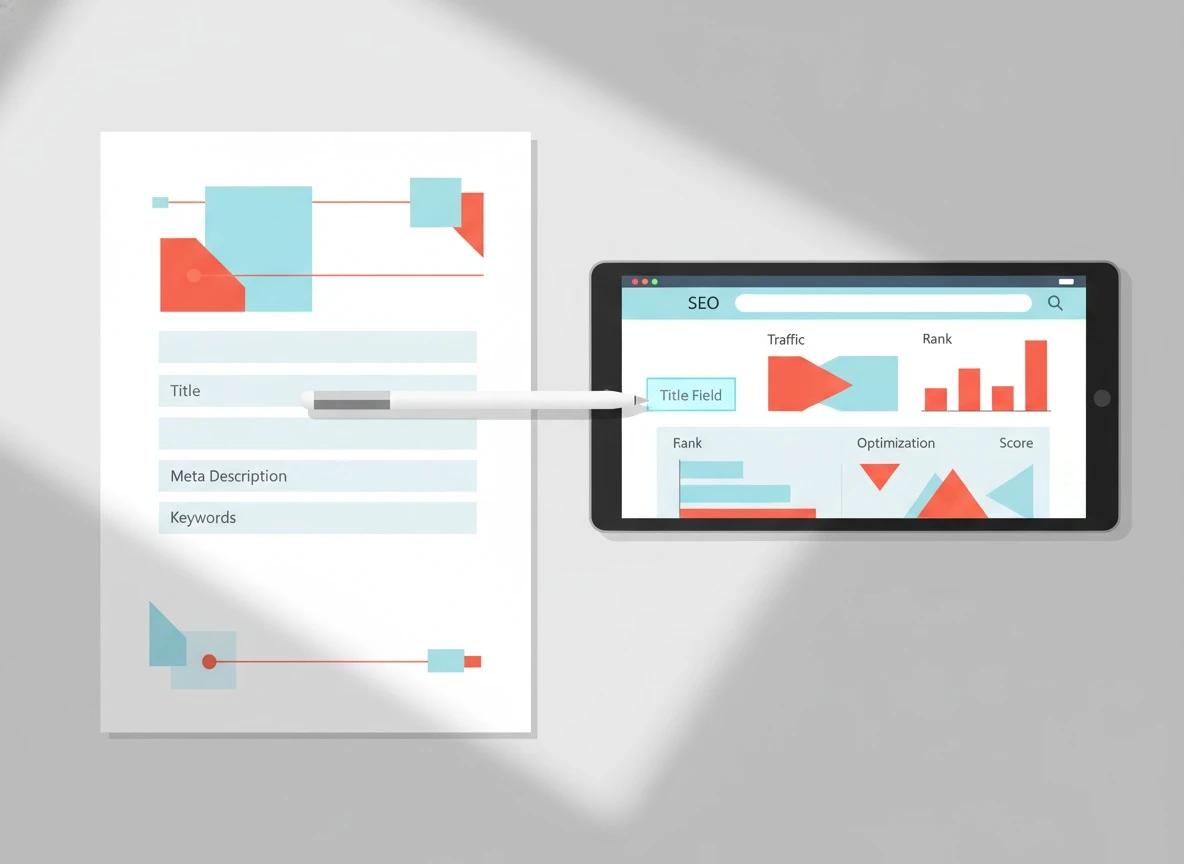
Start in Wix Editor > Pages & Menu > (your page) > SEO Basics. This is where you control the SEO title (your title tag seo) and meta description. In WordPress, people often manage this with plugins like Yoast (hence all the searches for title yoast seo), but the rule is the same: Google rewrites weak or mismatched titles, and it rewrites them more often than most founders realize.
Here’s the pattern that consistently produces stable snippets:
Element
Where to set it in Wix Editor
Practical rule we use
Common failure mode
SEO title (title tag)
SEO Basics
50-60 characters, lead with the primary query, end with brand if space
Stuffing keywords or writing a clever headline that doesn’t match intent
Meta description
SEO Basics
140-155 characters, one clear promise, one proof point, one next step
Vague marketing copy that says nothing specific
URL slug
SEO Basics
Short, lowercase, no dates unless the topic is date-driven
Changing slugs after publishing without redirects
Social share title/description
Social Share
Align with the SEO title but can be more “clicky”
Social copy accidentally becomes the SEO copy
Two non-negotiables before publishing:
First, your SEO title must describe the page in plain language. A title like “Everything You Need” is a snippet disaster. Second, the meta description should preview what’s on the page, not what you wish was on the page. Google’s own documentation explains why snippets can be rewritten when they don’t match on-page content or query intent in Google Search Central’s guide to titles and snippets.
One more Wix-specific gotcha: Wix lets you set page-level SEO and also supports dynamic pages (collections). If you’re using dynamic pages, confirm the SEO title is mapped to the right field and not pulling a blank value. Blank dynamic fields are a top cause of “Untitled” or duplicated titles across multiple URLs.
If you’re auto-publishing content into Wix, keep a repeatable checklist per post. We maintain one that mirrors the same gates described in a Wix SEO checklist for every auto-published post so nothing ships half-configured.
How do you validate headings, copy length, and intent?
On-page SEO is less about word count and more about alignment. The fastest way to lose rankings is to publish a page whose title promises one thing but the first screen delivers another.
Here’s the validation flow we run in under 3 minutes:
1) H1 and H2 hygiene (don’t let design break SEO)
Definition: Heading hygiene means one clear H1 that matches the page’s primary intent, followed by H2s that break the topic into logical sub-answers.
In Wix Editor, headings can get messy because designers use “Heading 1” styles for visual size, not semantic structure. You want exactly one H1 per page in almost every case. Multiple H1s are not always fatal, but they are a reliable sign the page was built for layout first, clarity second.
A simple rule: your H1 should closely match the SEO title, but it doesn’t need to be identical. If the title is “Wix Editor SEO checklist before you publish”, an H1 like “Pre-publish Wix Editor SEO checklist” is fine. An H1 like “Ship faster” is not.
2) Copy length: write to satisfy, not to fill
Google is explicit that content should be helpful and created for people, not search engines. Their guidance in Google’s helpful content documentation is blunt: thin pages fail because they don’t answer the query.
For solo founders, I use a benchmark: if the page targets a specific “how to” query, you usually need 600-1,200 words to answer it properly, plus examples. For product pages, it can be less, but you must cover objections, specifics, and proof.
3) Intent check: the “first 15 seconds” test
Open the page preview and ask: would a stranger know they’re in the right place within 15 seconds?
If not, fix your above-the-fold. Add a one-sentence promise, a short step list or table, and one credibility marker (a number, a result, a constraint). This is seo web design in practice: layout that supports comprehension and reduces pogo-sticking.
If you want a deeper diagnostic for why pages don’t rank even when the writing is decent, use why great content still doesn’t rank as a troubleshooting companion.
What image and media settings affect performance?
Definition: Media performance SEO is the set of image and embed choices that affect load time, Core Web Vitals, and crawl efficiency.
Wix handles a lot for you, but you can still tank performance with the wrong habits. The most common issues I see on Wix Editor sites are oversized hero images, uncompressed PNGs used as photos, and video embeds that load immediately.
Run this pre-publish media gate:
First, every image needs alt text that describes the image for accessibility and relevance. Don’t keyword-stuff. Write it like you’re explaining it to someone who can’t see the page.
Second, keep file sizes sane. As a practical ceiling, I aim for under 200 KB for most inline images and under 400 KB for a hero image. Wix will optimize formats, but starting with a massive upload forces more work and still risks slower Largest Contentful Paint.
Third, control embeds. If you embed video, avoid loading multiple players above the fold. Even one heavy embed can delay interaction. Measure it. Google’s Core Web Vitals documentation explains why LCP and INP correlate with real user experience and, indirectly, with organic performance.
Finally, watch lazy loading behavior. Wix applies lazy loading in many scenarios, but don’t assume it’s perfect. If your hero image is lazy-loaded, that can hurt LCP. The fix is usually structural: ensure the hero image is treated as the primary content element and not nested in a component that delays loading.
When founders ask me whether they should outsource this as on page seo services, I tell them the truth: you can do 80% of it yourself with a checklist. The last 20% is measurement and iteration.
Which post-publish checks confirm Google can crawl it?
Definition: Crawl validation is confirming that a published URL is indexable, reachable, and represented correctly in Google’s index.
Publishing is not the finish line. It’s the handoff to Googlebot. Here’s the post-publish sequence we use to avoid silent failures like noindex tags, canonical mistakes, and sitemap gaps.
Step 1: Confirm indexability settings in Wix
In Wix, it’s surprisingly easy to accidentally block a page. Check:
The page is set to Index (not “Hide from search results”).
The page is not password-protected or behind member gating unless intentional.
The canonical URL is correct and points to itself unless you are deliberately consolidating duplicates.
Canonical problems are where wix vs wordpress differences show up operationally. WordPress sites often create accidental duplicates via tags, categories, and parameter URLs (hence searches like wordpress duplicate page). Wix tends to create fewer taxonomy duplicates, but founders still create duplicates by cloning pages and forgetting to change titles, slugs, and canonicals.
Step 2: Internal linking and crawl paths
A page that exists but isn’t linked is a page Google finds late, if at all. Before you announce the URL, add at least one internal link from a relevant, already-indexed page. Use descriptive anchor text, not “read more”.
If you publish at scale, internal linking becomes the difference between “we posted 50 articles” and “we built a crawlable knowledge graph.” This is also where automation pays off. If your process includes scheduled publishing, compare it against the failure modes in the real cost of not publishing SEO content consistently so you don’t confuse volume with outcomes.
Step 3: Sitemap and Search Console confirmation
Wix generates a sitemap, but you still need to confirm Google sees it. In Google Search Console:
Submit the sitemap URL.
Use URL Inspection on the new page.
Confirm “Crawl allowed” and “Indexing allowed”.
Request indexing if it’s a priority page.
If URL Inspection shows “Discovered, currently not indexed,” don’t panic. That can be normal for low-authority sites or pages with weak internal links. But if it shows “Excluded by ‘noindex’ tag” or a canonical pointing elsewhere, fix it immediately.
If you’re repeatedly seeing indexing delays after publishing bursts, the fix is usually procedural. We wrote a full troubleshooting flow for that exact situation in how to fix indexing after auto publishing.
Step 4: Snippet sanity check (what Google actually shows)
Within a few days, search for a unique phrase from your page in quotes. If your title or description is rewritten, it usually means one of three things: the title is too generic, the meta description doesn’t match the visible copy, or the page’s main heading conflicts with the title.
Schema markup basics can also help Google understand the page type. Wix supports structured data in various ways, but don’t overdo it. For a checklist post, Article schema plus clean headings and internal links tends to be enough.
One operational note: founders often ask about the best time to post. Timing matters less than crawlability and consistency. If you publish and the page is blocked, the “best time” is irrelevant.
A repeatable Wix Editor pre-publish quality gate (copy and use)
If you want this to be a real gate, not a vague reminder, treat it like a launch checklist you can run every time.
Gate
Pass condition
Fail signal
Title and snippet
Title fits in 50-60 chars, description is specific and matches content
Truncated title, generic meta, mismatched promise
Headings and intent
One H1, clean H2 structure, first screen answers the query
Multiple H1s, decorative headings, slow intro
Media performance
Images compressed, alt text set, embeds controlled
Heavy hero, no alt text, multiple embeds above fold
Crawl and index
Indexing allowed, canonical correct, internal link added
If your workflow includes multiple tools like surfer seo for content scoring, use it as a secondary signal, not your definition of quality. The definition of quality is: the page satisfies intent, loads fast, and is easy for Google to crawl and understand.
Frequently Asked Questions
What does DR stand for in SEO?
DR usually means Domain Rating, a third-party metric popularized by Ahrefs that estimates backlink strength. It is not a Google metric, but it can help you benchmark how hard it will be to rank.
What is DR and PR in SEO?
DR is a third-party domain authority-style metric, while PR often refers to PageRank, Google’s original link analysis concept. Google no longer shows public PageRank scores, but links still matter.
How do I do an in-text citation for a website article?
For APA style, you typically cite author (or organization) and year in parentheses, plus a reference entry with URL. Purdue OWL’s APA web page citation guidance is a reliable reference.
Which is the best website for blogging?
The best platform depends on your constraints: control, speed, and workflow. Wix is strong for fast publishing and design consistency, while WordPress offers deeper extensibility; the real winner is the one you can publish on consistently without breaking SEO basics.
Next step: turn this checklist into automation, not memory
Run this checklist on your next Wix Editor page before you publish. Then open Search Console and validate crawl and indexability the same day. If you want the process to run automatically, start by connecting your site and letting VellumUp publish with built-in SEO guardrails: create your VellumUp account and use a single URL scan to lock in your brand voice and publishing rules.


 VellumUp10 min read